Order View Tabs Not Working on Customer Order Detail Page (DOMException: String contains an invalid character)
-
Hi everyone,
I’m facing an issue on the Customer Order Detail page in Bagisto.
Specifically, the order view tabs (Information, Invoices, Shipments, Refunds) are not working properly.When opening the order detail page, clicking the tabs does nothing, and the browser console shows the following error:
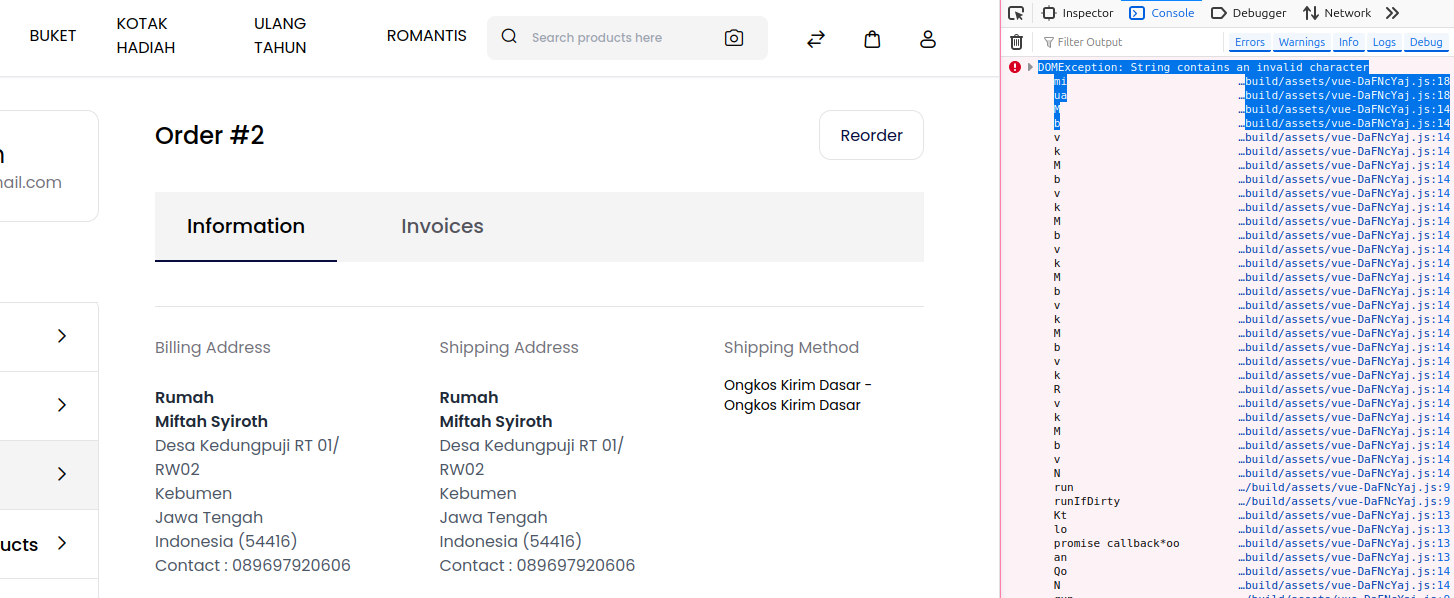
DOMException: String contains an invalid character
    mi http://erenes.test/themes/shop/default/build/assets/vue-DaFNcYaj.js:18
    ua http://erenes.test/themes/shop/default/build/assets/vue-DaFNcYaj.js:18
    M  http://erenes.test/themes/shop/default/build/assets/vue-DaFNcYaj.js:14
    b  http://erenes.test/themes/shop/default/build/assets/vue-DaFNcYaj.js:14
The issue occurs in the Shop package, specifically in:
- Package Shop >> OrderController@view
- Blade view: Customer Order View Tabs
<x-shop::tabs>
    <x-shop::tabs.item
        :title="trans('shop::app.customers.account.orders.view.information.info')"
        :is-selected="true"
    >
        ...
    </x-shop::tabs.item>
</x-shop::tabs>
Each tab contains a large Blade template with:
- Translated strings using @lang() and trans()
- Vue-related directives such as v-pre
- Inline Vue event handlers (e.g. $emitter.emit(...))
- Dynamic data from orders, invoices, shipments, and refunds
Problem Description
- The page loads, but the tabs do not switch and no data is displayed.
- list itemA DOMException: String contains an invalid character is thrown from the compiled Vue assets
Has anyone encountered this issue before?
Is this a known bug in the Shop package?Any guidance or confirmation would be greatly appreciated.
Thank you in advance. -
Hello @syiroth
The issue occurs on the Customer Order Detail page because the Vue-based tab component (Information, Invoices, Shipments, Refunds) fails to initialize when it encounters invalid characters in dynamic data. This usually happens if special symbols such as
 , #, /, &, smart quotes, emojis, or HTML are used in shipping method names, payment method titles, order statuses, addresses, or translation strings. These values are converted into DOM attributes/IDs, and invalid characters trigger the “DOMException: String contains an invalid character” error, which stops the tab switching functionality. To fix it, remove special characters from shipping/payment/status titles and translations, clear Laravel caches (php artisan optimize:clear), rebuild frontend assets (npm run build after deleting public/build), and hard refresh the browser. Note: Make sure you perform these steps on a staging environment first, not directly on production.
Regards
Rishabh Yogi
Team Bagisto