[Live Server] Saved Addresses Not Showing on Checkout Page (Works on Local)
-
I've moved my site to a live server, but I'm experiencing a strange issue on the onepage checkout.
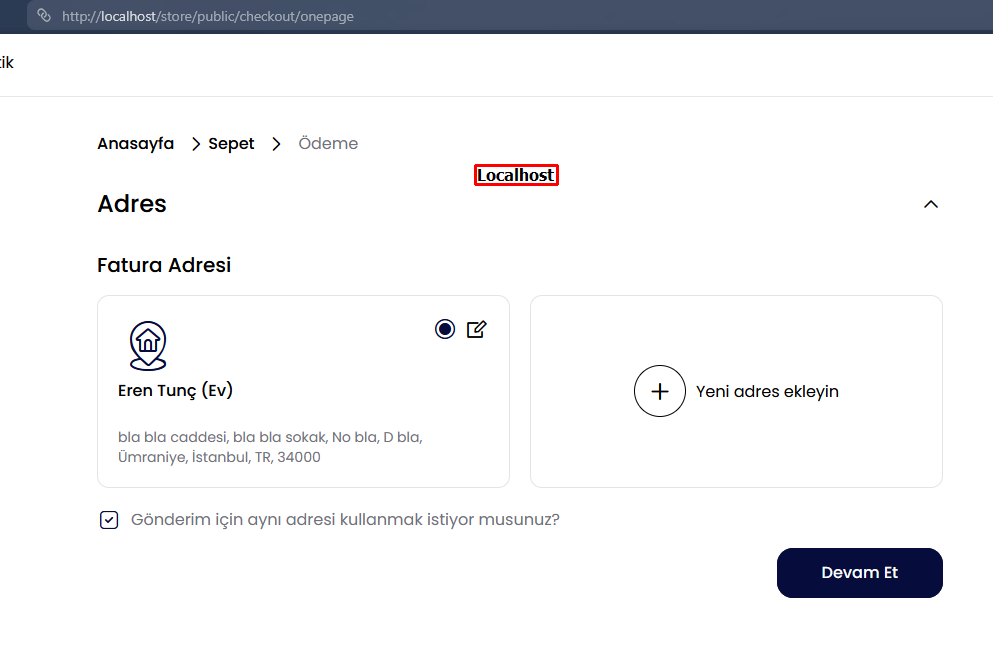
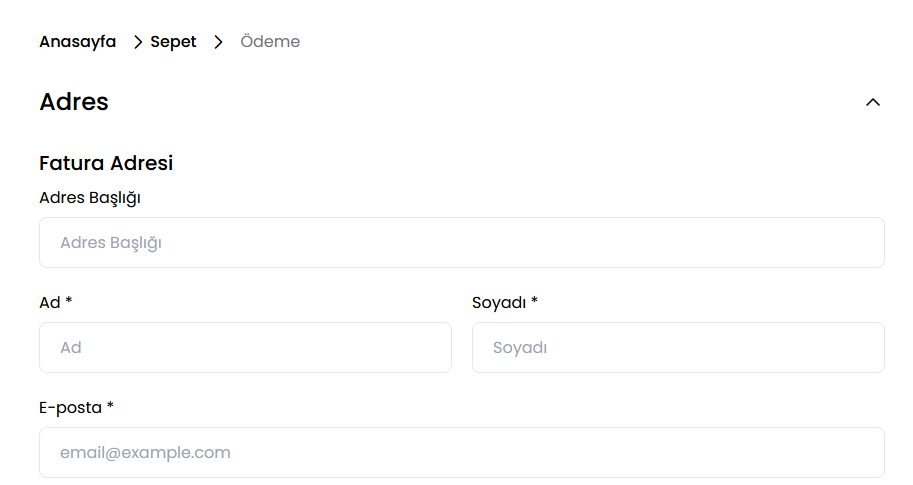
The Problem: When a customer is logged in and proceeds to the checkout page, their previously saved addresses (Billing and Shipping) are not being listed. The address selection area and the list of saved addresses are simply empty. There is no issue with adding a new address, but saved addresses cannot be selected.
Important Detail / Troubleshooting: What's interesting is that to diagnose the issue, I took all the files and the database backup from the live server and set them up exactly the same way on my local server (XAMPP).
On my local machine, when testing with the exact same database from the live server, the saved addresses are listed perfectly on the checkout page.
What I have tried so far (with no success):
php artisan optimize:clear (or php artisan optimize)What would you recommend checking for this situation, where it works perfectly locally but not on the live server?
Localhost
Live
-
Hello
Since the same database works correctly on your local setup, the issue is most likely related to the live server environment rather than the Bagisto data itself.Please check the following:
-
Open your browser's Developer Tools (F12) and inspect the Network and Console tabs while loading the checkout page. Check if the API request that fetches customer addresses is failing or returning an error.
-
Verify that the APP_URL in your
.envfile matches your live domain exactly, then run:php artisan optimize:clear php artisan config:cache -
Ensure that storage and bootstrap/cache have the correct write permissions.
-
Compare the PHP version and installed PHP extensions between your local and live environments. A mismatch can sometimes lead to unexpected behavior.
-
Check the Laravel logs (
storage/logs/laravel.log) and your web server error logs for any exceptions generated when the checkout page is loaded.
This information will help determine whether the issue is caused by a failed API request, session/authentication problem, or a server configuration issue.
Thanks
Aviral -